wt-layout v2.0.0

Drag the panes.
Copy the command.

Writing a wt new-tab … split-pane … line by hand means quoting paths, remembering -V and -H, sizes and escape rules. Draw the layout instead: the PowerShell command, the settings.json action and the .bat file follow as you type.

generated
wt `
  new-tab --title "Frontend" `
    pwsh -Command "npm run dev" `;
  split-pane -V --title "Backend API" `
    pwsh -Command "npm run start:dev" `;
  split-pane -H --title "Database" `
    pwsh -Command "docker-compose up postgres"

The layout, the pane, the command.

Panes on the left, the live preview in the middle, the selected pane’s title, folder, commands, profile, colour and size on the right. The output sits underneath.
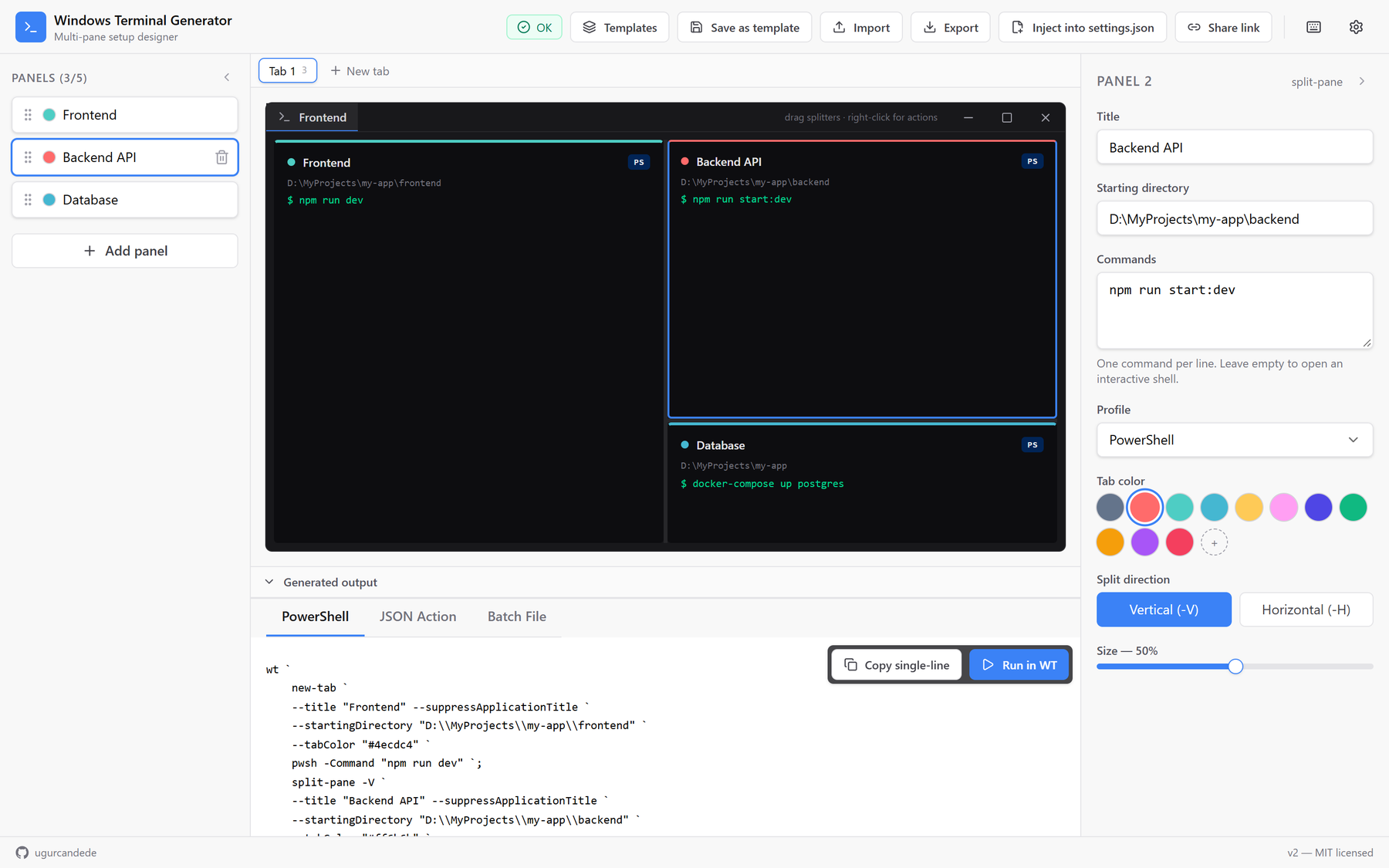
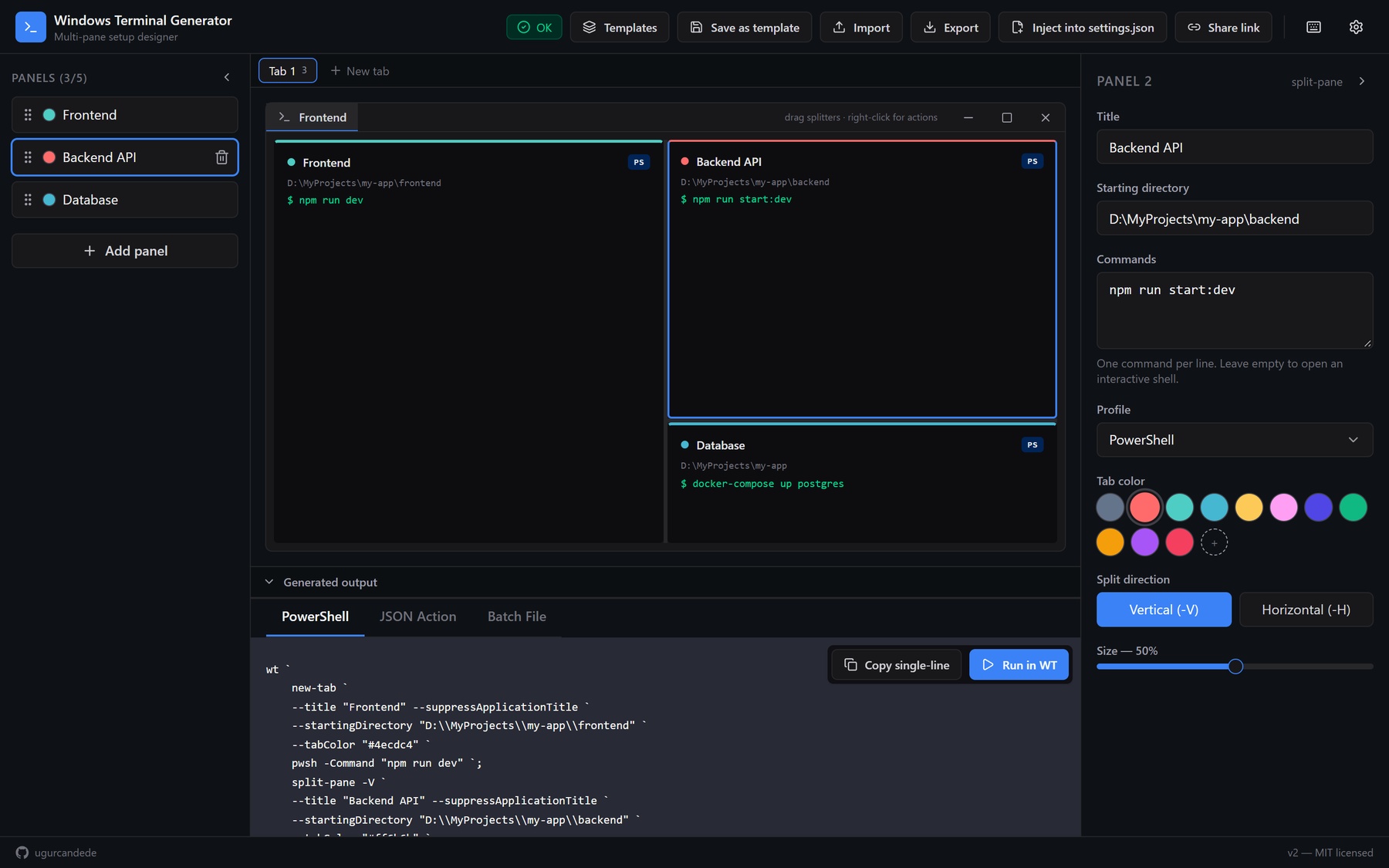
wt-layout with three panes: Frontend, Backend API and Database, and the generated PowerShell command The same layout in the dark theme

Outputs

The same layout, three ways.

PowerShellA readable multi-line command, and a single line to copy
settings.jsonA multipleActions action for the actions array, named after the panes
BatchA .bat that checks for wt first, then starts it
ProfilesPowerShell 7, Command Prompt, Git Bash, WSL (Ubuntu)
InjectThree steps from the app to Windows Terminal’s settings
SavedIn the browser, as you go; switch it off in settings

Start from a template.

Six layouts with their folders and commands, or one you saved.
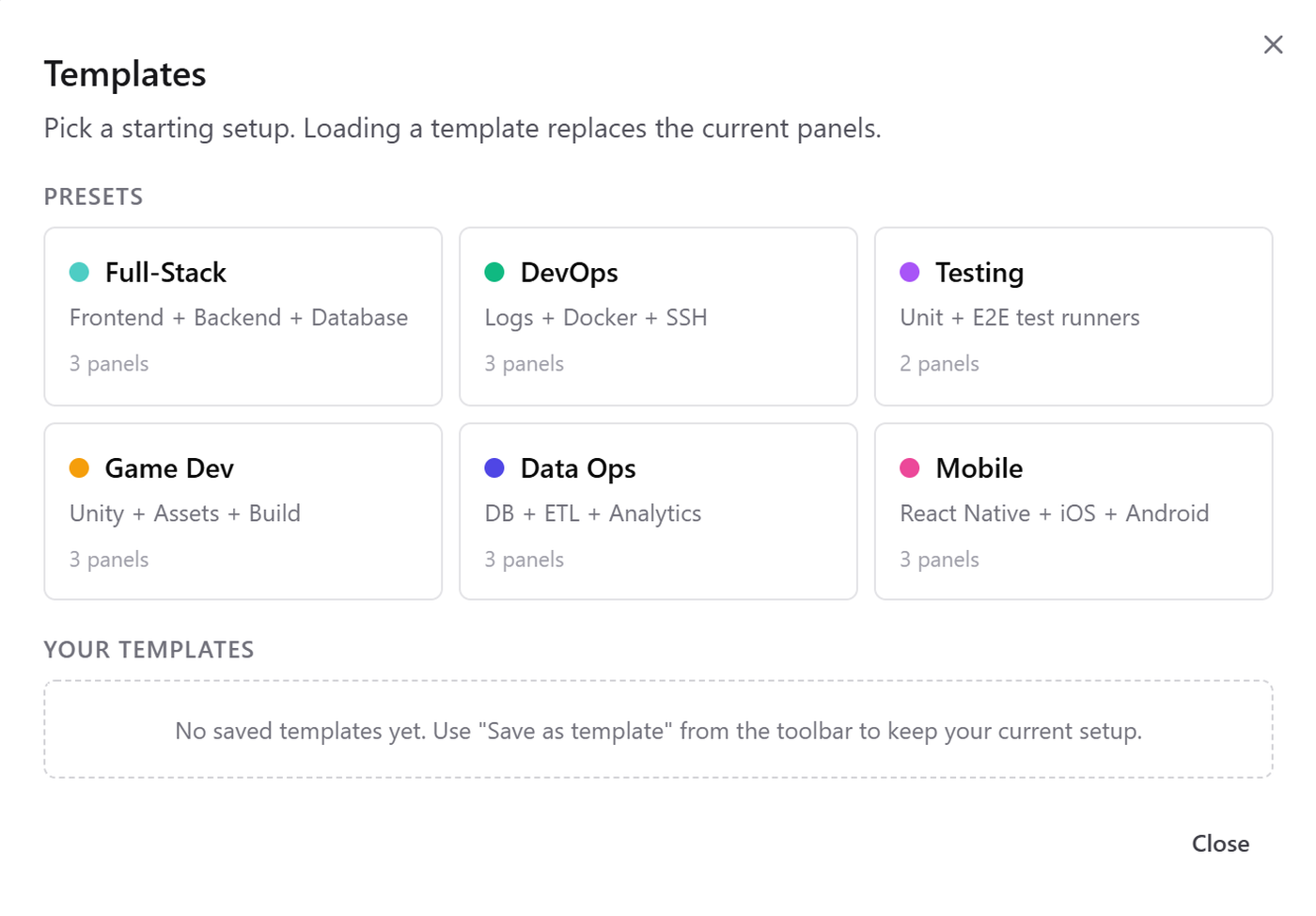
The template picker: Full-Stack, DevOps, Testing, Game Dev, Data Ops, Mobile

Get it

Open it. Or run your own.

web

In the browser

Nothing to install

Open the app
Opens in any modern browser
>_

Locally

From a clone

GitHub
$ npm install && npm run dev

The commands it writes are for Windows Terminal (wt); PowerShell panes run PowerShell 7 (pwsh).

Runs inAny modern browser
Output forWindows Terminal, on Windows
Saves toThe browser’s local storage
Written inTypeScript, React 18, Vite
TestsVitest
LicenseMIT