Highlights
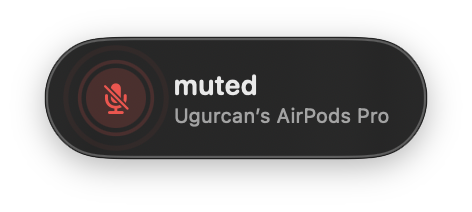
System-wide mute
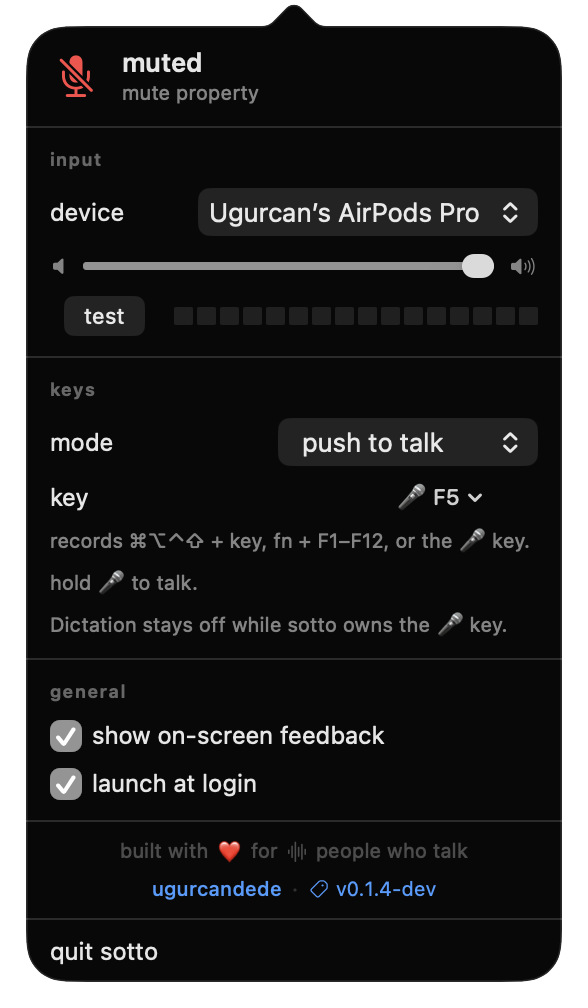
Push to talk
An icon that can't lie
The microphone key
0
No permissions
Mute
Mute is a single piece of state, and sotto keeps it on the microphone itself. It writes the device’s own mute property through CoreAudio, so Zoom, Meet, Teams and everything else go silent at once.
Apps muted at once
All
The property lives on the device
Icon catches up in
< 1 sec
CoreAudio listeners, not polling
Permissions to mute
0
A property write and a Carbon hotkey
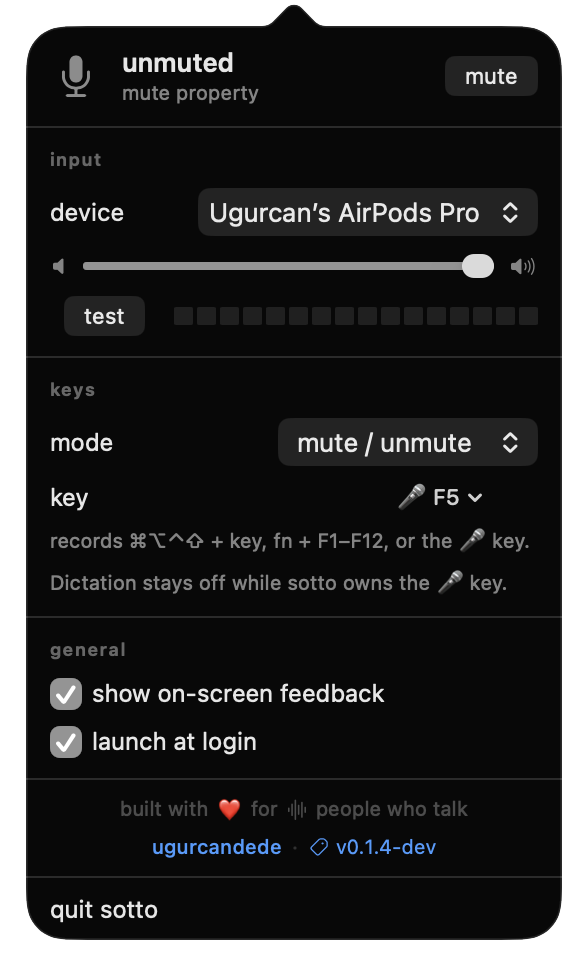
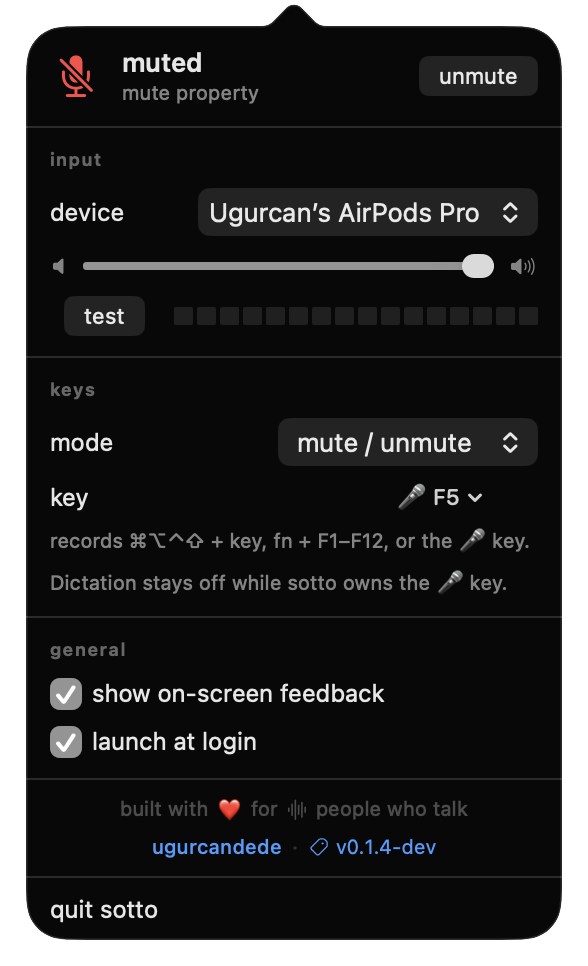
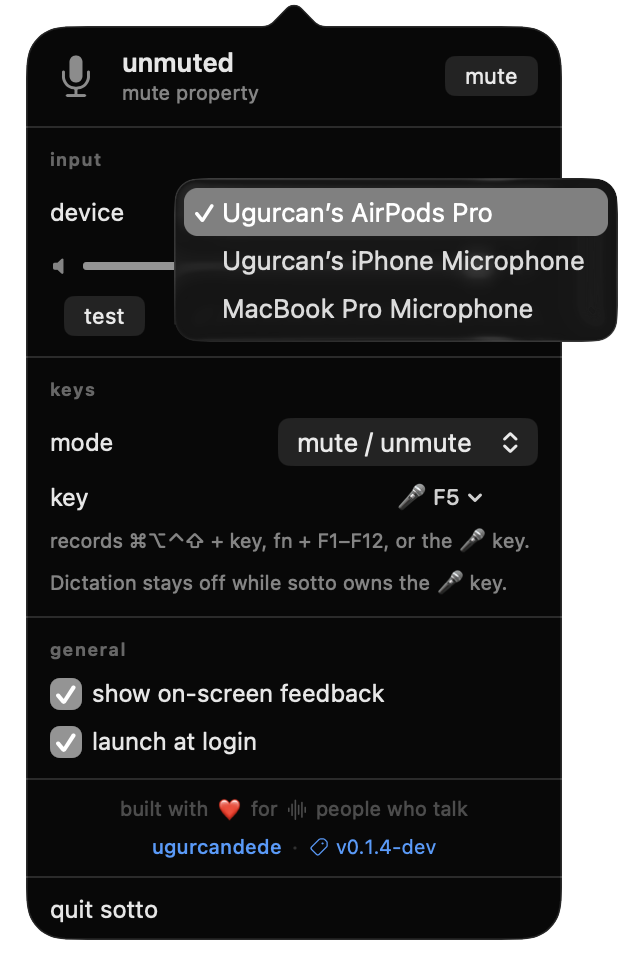
Status, input device, gain, level test, the mode and the key. One panel, no settings window.
Muted from the menu, from the key, or from System Settings. sotto agrees within a second.
Pick the microphone sotto controls. It becomes the system default input, so every app records from it.
2×
Menu bar icon
Input switching
5 sec
Gain and level test
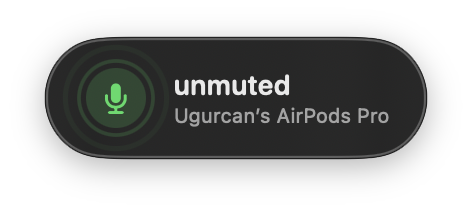
On-screen feedback
$ sotto probe
Devices that can't be muted
Push to talk
Flip the mode and the mic rests muted. It opens only while your key is held and mutes again the moment you release it. A bare modifier works too: hold right ⌥ to talk.
Failsafe
2 min
Closes the mic if a key-up is lost to sleep
Keys swallowed
1
The talk key never types into your app
Permission
1
Accessibility, asked only for this mode
While the key is down the mic is open and the HUD stays up so you can see you are live.
Release, and you are muted again. If a release is ever lost, a two-minute failsafe closes the mic.
Switch the mode and the logic inverts: the mic rests muted and opens only while your key is down.
Inside
Muting is a CoreAudio property write. The shortcut is a Carbon hotkey. The microphone key is claimed with a remap at the HID layer. None of those ask you for anything. Push-to-talk is the one exception: seeing a key’s release needs an event tap, so that mode alone asks for Accessibility.
macOS turns the microphone key into a Dictation trigger before any app sees it. sotto gets underneath by remapping the key itself, and hands it back when you unbind it, quit, or log out.
Source on GitHub →# what the remap does F5 (mic) → F13 → sotto # what your hardware exposes $ /Applications/sotto.app/Contents/MacOS/sotto probe
Two ways
Clears the quarantine flag for you
The tap$ brew tap ugurcandede/tap $ brew install --cask sotto
Unzip, move to Applications, right-click, Open3
Downloadsotto-macos.zipQuitting does not unmute: sotto mutes the device, not itself. Unmute first, then quit. Anonymous usage stats can be switched off in the menu.2
Specifications
FAQ
No. Muting is a CoreAudio property write and the global shortcut is a Carbon hotkey; neither requires a grant. The microphone key is claimed with an HID key remap, which also needs none.
There are two exceptions, both opt-in. The test button opens the microphone to measure your level, so macOS asks once and shows its orange dot while the meter runs. Push-to-talk needs an event tap to see your key, so switching that mode on asks for Accessibility.
It sends anonymous usage events to Google Analytics — which features you use and how, with a random install id. No audio, no keystrokes, no device names. Turn it off any time by unchecking send anonymous usage stats in the menu.
It stays quiet while sotto owns the key. The key is remapped below the layer where macOS decides to start Dictation. Pick another key, choose none, or quit sotto and Dictation works exactly as before. A logout resets the mapping too, so nothing can get stuck.
Yes. Pick push to talk in the menu and hold your key: the mic opens while the key is down and mutes again the moment you let go. Holding a key means knowing when it is released, and the only macOS API that reports key-up globally is an event tap — so this one mode asks for Accessibility. Everything else keeps working without any grant.
macOS ties the Accessibility grant to the exact binary it was given, and sotto’s builds are not yet notarized — so an update invalidates the grant while System Settings still shows sotto as enabled. sotto detects this, clears the dead record, and asks again; approve the prompt and push to talk comes back within seconds.
Two keys are rejected on purpose, and one is rejected by macOS:
F7.So: a modifier combination, fn with an F-key, or the microphone key.
No. It only touches the input side — the microphone’s mute property, its input gain, and which device is the system default input. Speakers, headphones and output volume are untouched.
Yes, because sotto mutes the device rather than the app. The apps’ own mute buttons are separate: muting in sotto while Zoom shows you unmuted means you are, in fact, silent.
One caveat: Zoom’s Automatically adjust microphone volume raises input gain behind your back. On devices where sotto has to mute by zeroing gain, it watches that property and puts it back.
Because sotto mutes the device, not itself. Quitting does not unmute — it would be a surprise to have your microphone open again without asking. Unmute first, then quit, or use System Settings.
Some devices — Continuity microphones in particular — expose neither a mute
property nor a settable input gain. Nothing can mute them short of switching
inputs. Run sotto probe to see the details for every device you have.
It is ad-hoc signed. Notarization needs a paid Apple Developer account; until then Homebrew clears the quarantine flag for you, or you can right-click → Open on first launch.
From sotto/docs/faq.md
More from ~/apps