$ npm i -g @ugurcandede/cc-cost
$ cc-cost setup      # shared folder, accounts, daily sync
$ cc-cost            # sync this machine, print a summary
$ cc-cost report     # open the dashboard
Thirty days, two machines, two Claude accounts. Daily cost stacked by model.
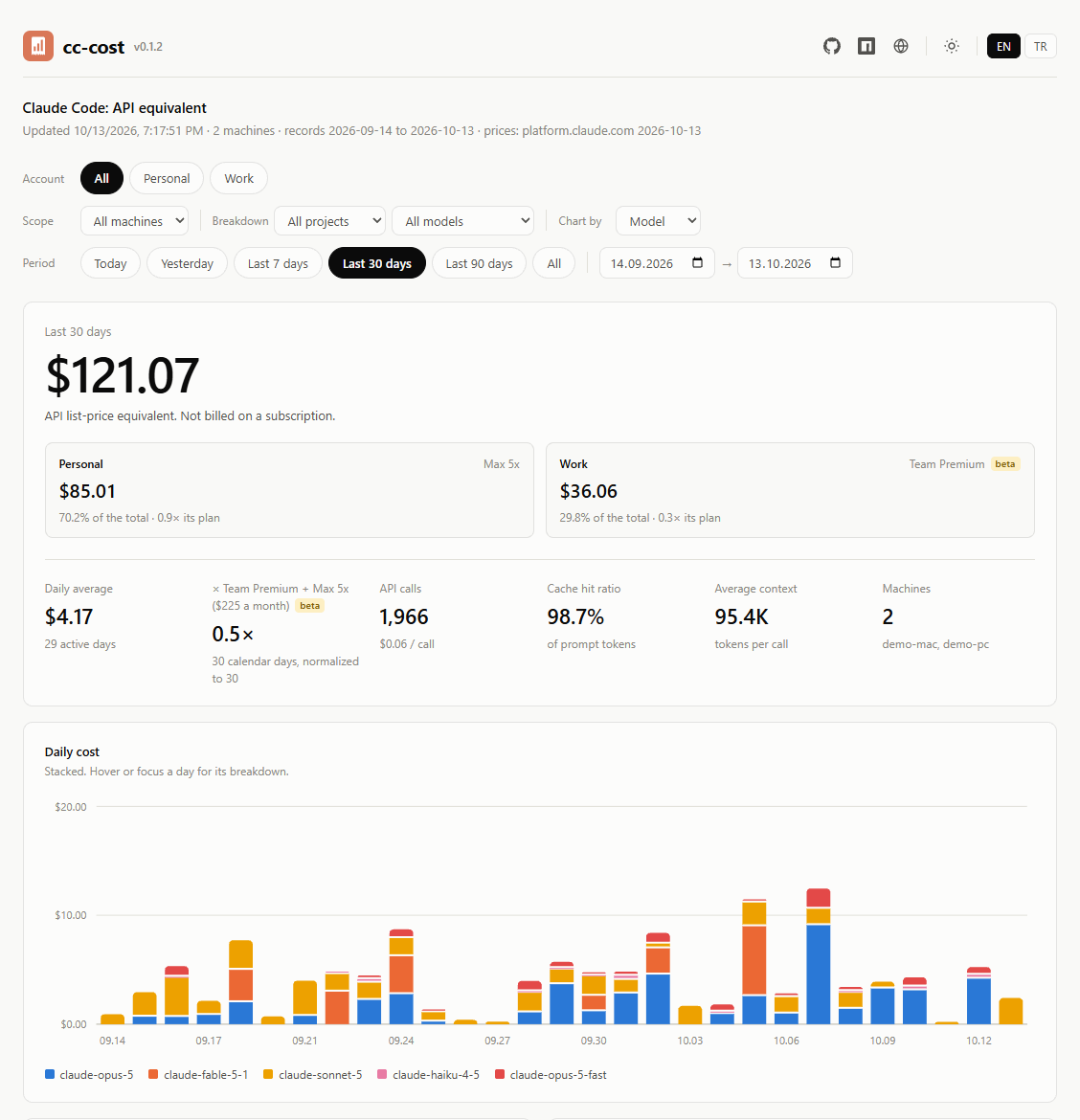
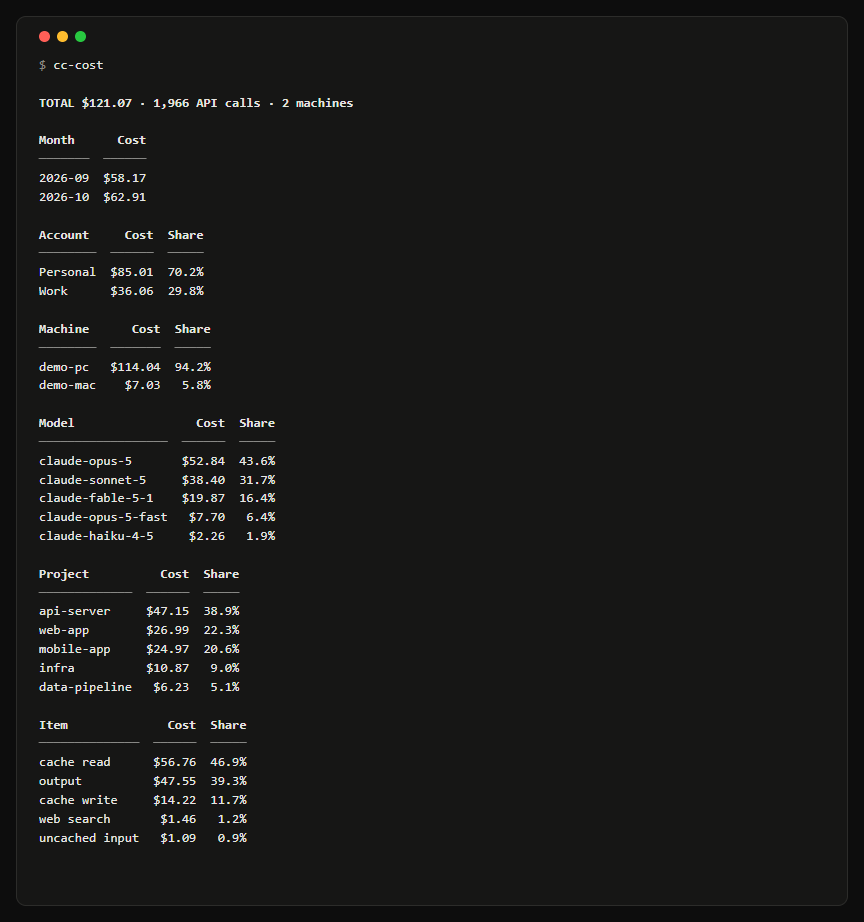
A closer look
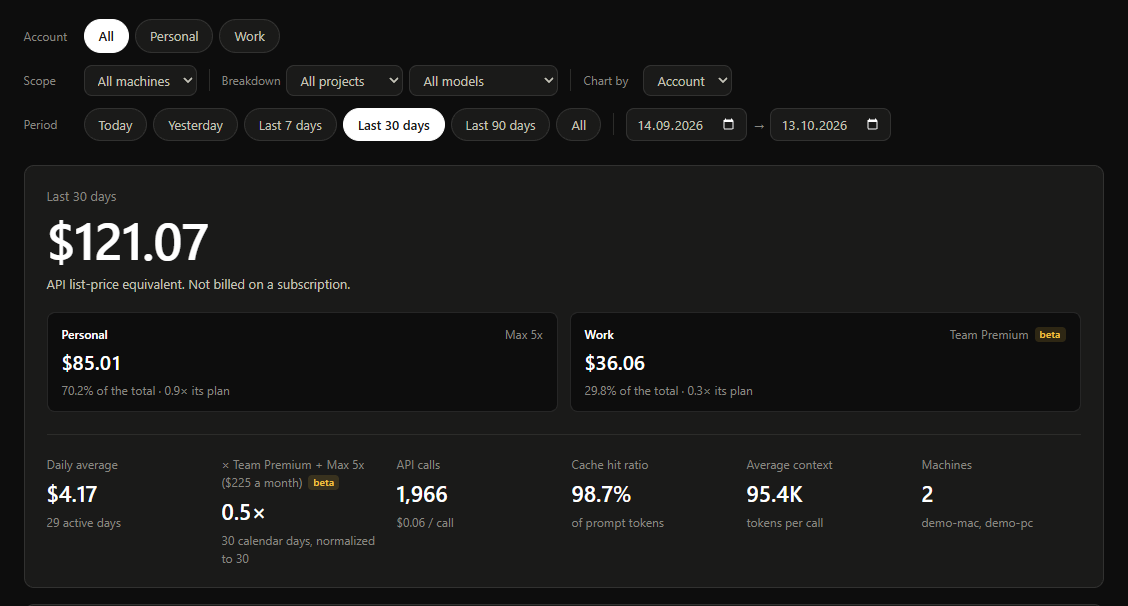
Accounts
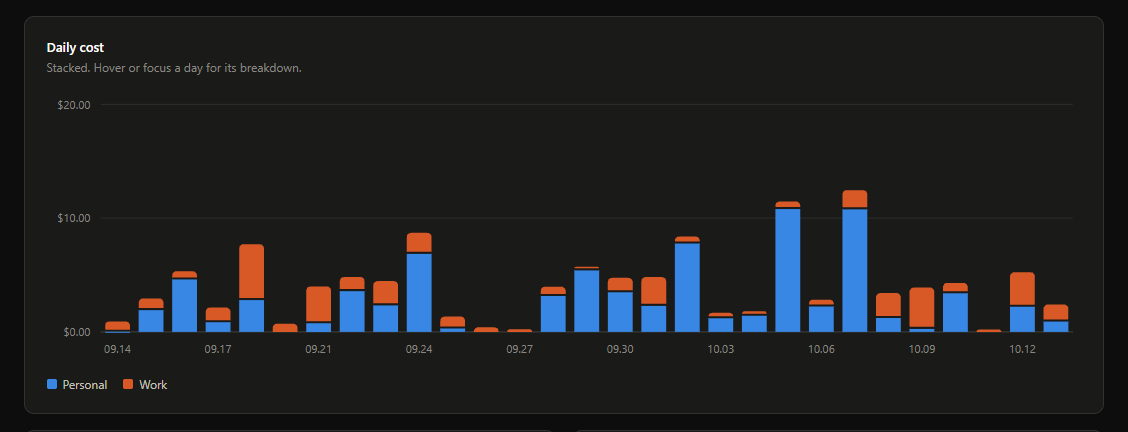
Daily cost
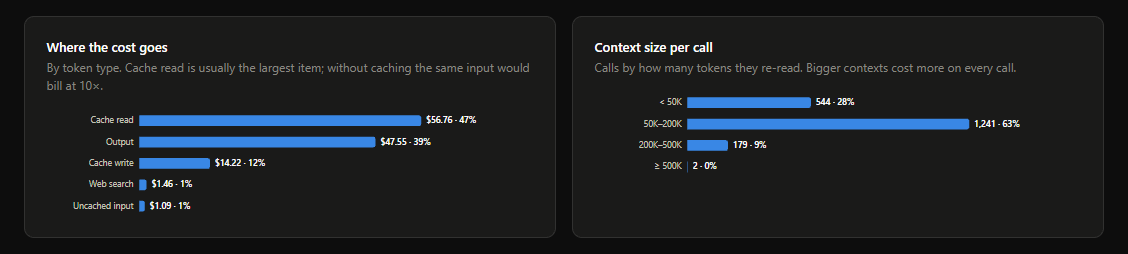
Where it goes
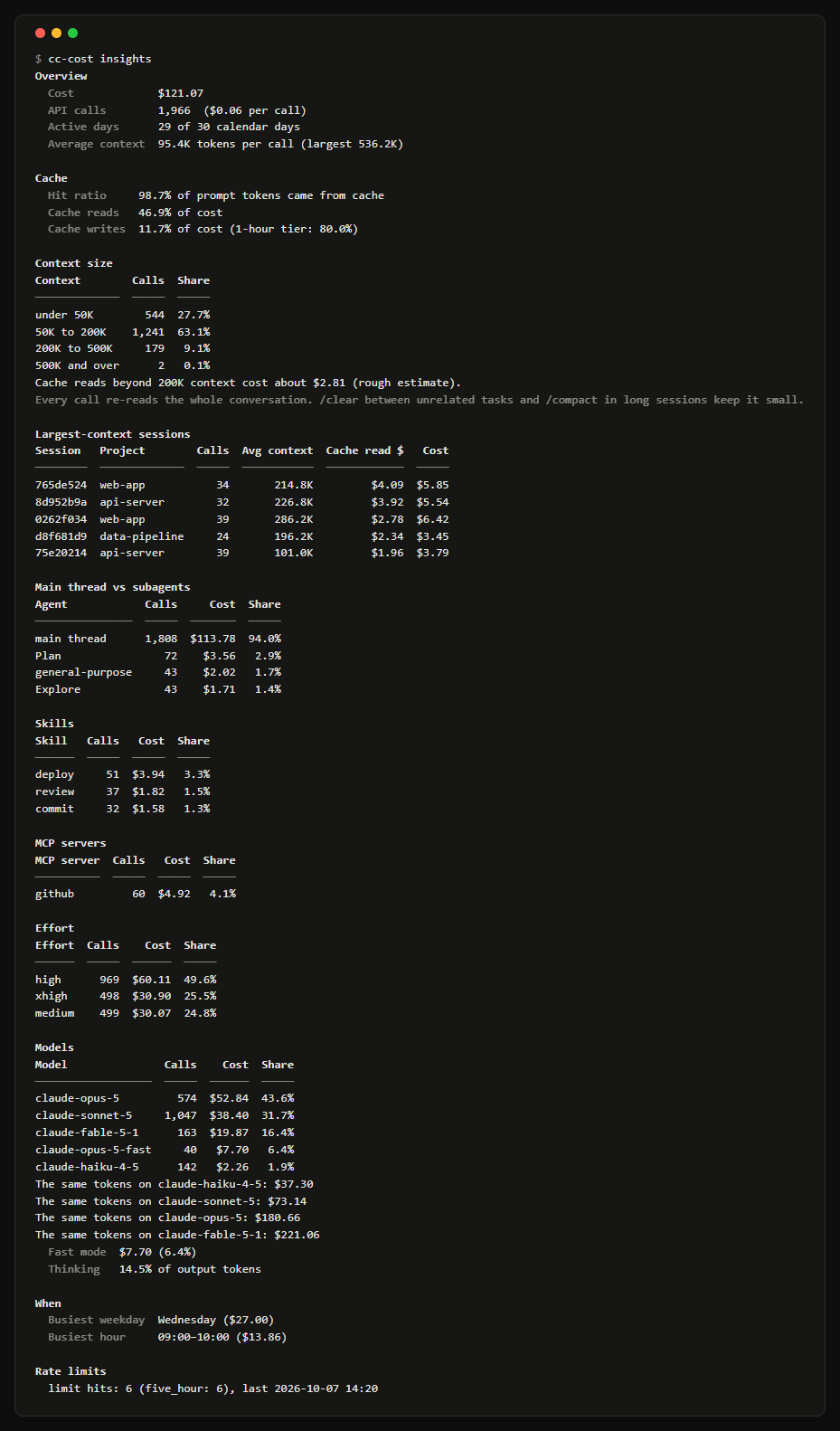
cc-cost insights
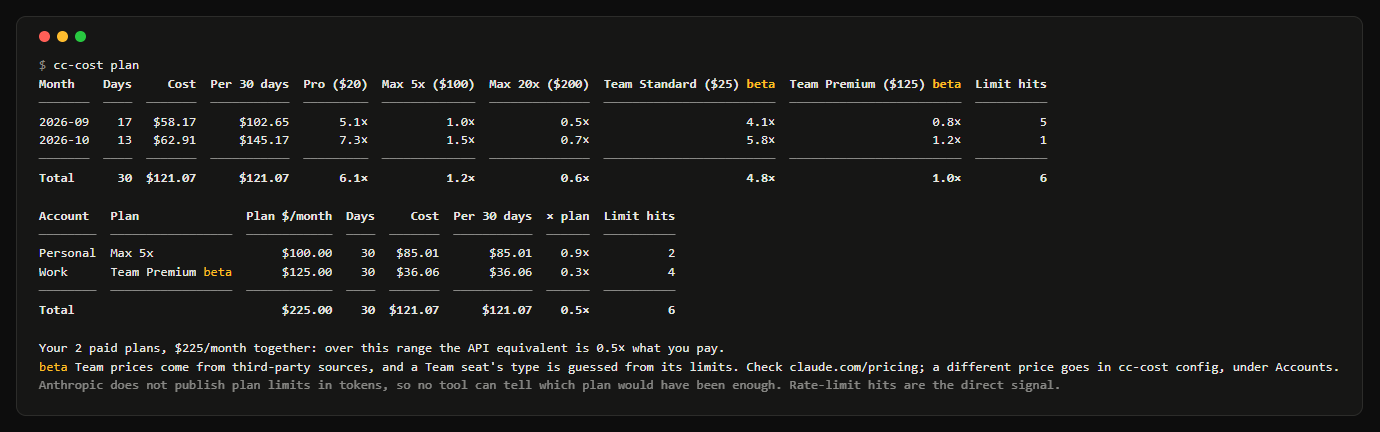
cc-cost plan
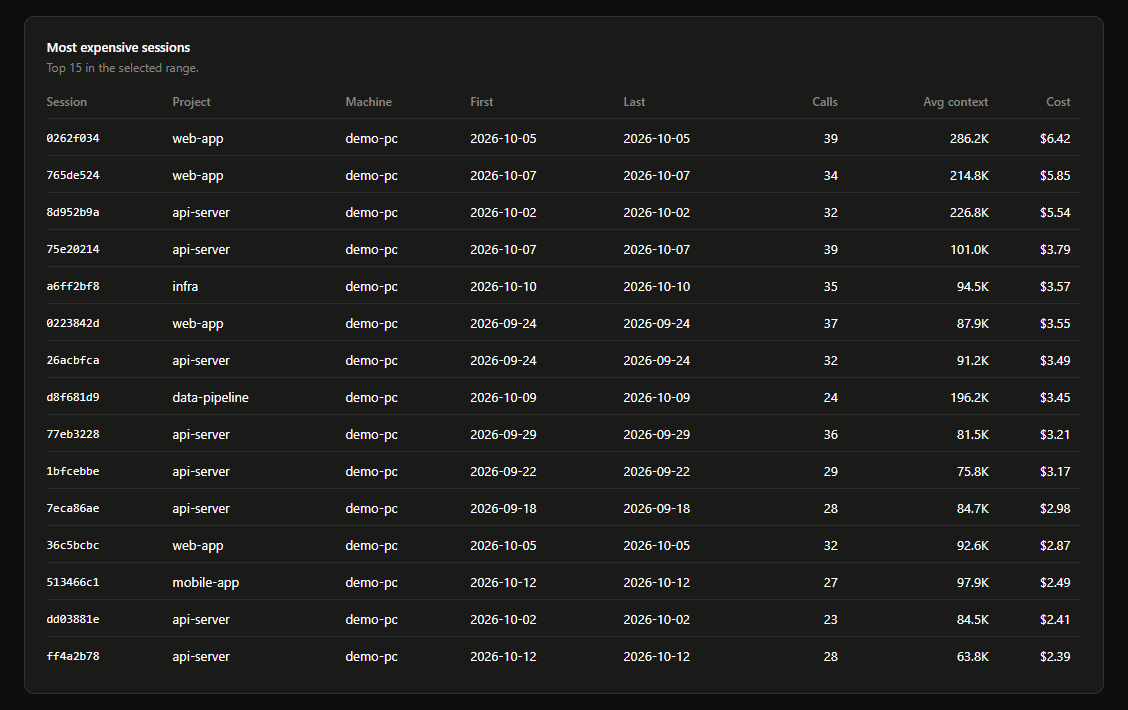
Sessions
In the terminal
$ cc-cost daily --last 7     # weekly, monthly
$ cc-cost projects           # models, machines, accounts, sessions
$ cc-cost agents             # main thread vs subagents
$ cc-cost insights           # what drives the cost
$ cc-cost plan               # API price vs your plans
$ cc-cost blocks             # Claude's 5-hour windows
$ cc-cost monthly --json     # or --csv
Project        Calls     Cost   Share
─────────────  ─────  ───────  ──────
api-server       607   $47.15   38.9%
web-app          307   $26.99   22.3%
mobile-app       594   $24.97   20.6%
infra            169   $10.87    9.0%
data-pipeline     90    $6.23    5.1%
docs-site        199    $4.85    4.0%
─────────────  ─────  ───────  ──────
Total          1,966  $121.07  100.0%
Every report takes --since, --machine, --account, --project, --model. English or Turkish, with --lang.
Safety
Layout
Each machine writes its own month files. The dashboard is one static page beside them. With a server over SSH, nothing is kept on the machines.
machines/
├── index.json        # for the dashboard
├── work-pc.json      # time zone, accounts
├── work-pc/
│   ├── 2026-09.json  # one file per month
│   └── 2026-10.json
└── macbook/
pricing.json          # daily prices + overrides
dashboard.html        # one static page
Get cc-cost
Then run cc-cost setup on every machine and point them at the same folder. Yarn 2+ has no global installs: use npm, or yarn dlx to try.
 cc-cost