TapLock for Windows
Periodic break reminders with calming full-screen overlays.
Work for an interval, take a break, repeat.
Never blocks your input.
🧘 Relax mode, ported
The break cycle, the three overlay themes, the posture reminder and the statistics — all of relax mode from the macOS menu bar app, rebuilt for the Windows notification area.
🔒 Lock mode is not here
Blocking keyboard and trackpad input on Windows means hooking the input stack. Relax mode never touches it, so this port stays entirely in user space — no keyboard hook, no driver, no elevation.
Features
Break cycle
Work for an interval, break, repeat. Seconds, minutes or hours — or a preset: 25/5, 45/10, 50/10.
Three overlay themes
breathing, minimal and mini. Accent colour and transparency are yours, with a five-second preview for each.
Posture reminder
A quiet nudge halfway through each interval. Dismissable, and optional.
Sound cues
Windows system sounds at the start and end of a break, following your sound scheme. Silent mode available.
Statistics
Sessions, break time and skip rate — today, by week, month, year, all time or a custom range.
Follows your theme
Light and dark, switched live with Windows. The tray glyph tracks the taskbar theme separately.
Launch at login
Optional, per-user, no elevation. One registry key under HKCU, removed when you turn it off.
Shared with macOS
Config and event log use the same schema as the Mac app, byte for byte. Carry them between machines.
One file
Ships as a single .exe — nothing to extract, nothing to install, nothing left behind but its config.
Overlay Themes
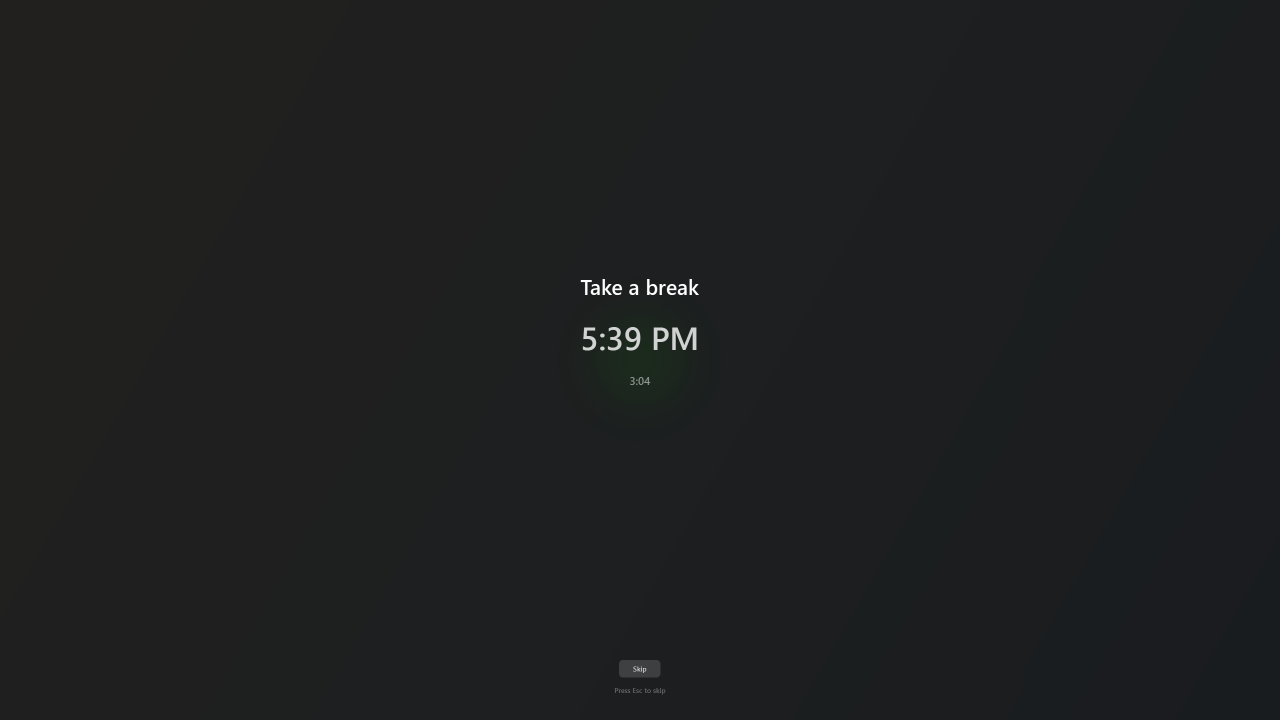
breathing — full-screen wash with a softly pulsing disc, on every display
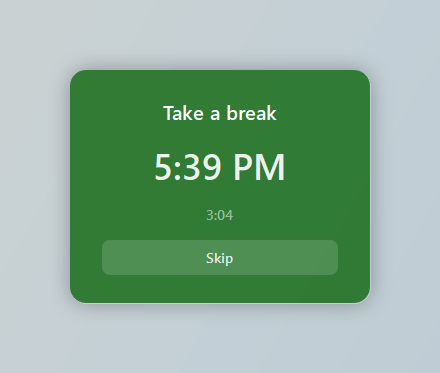
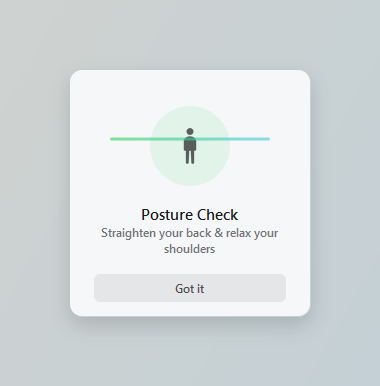
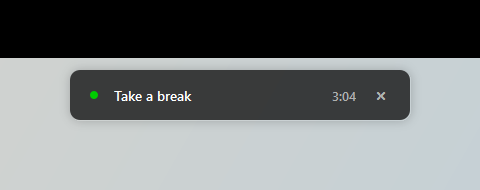
minimal — a glass card over a blurred backdrop · the posture reminder · mini — a bar that never takes focus
The Panel
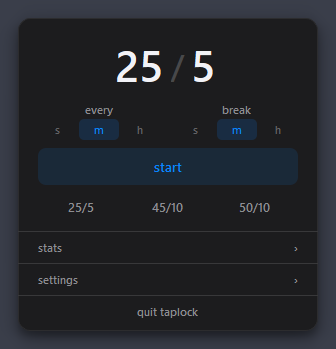
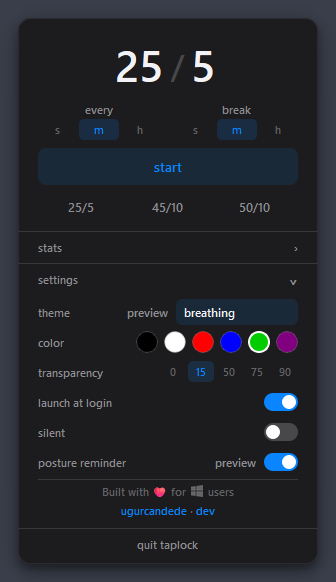
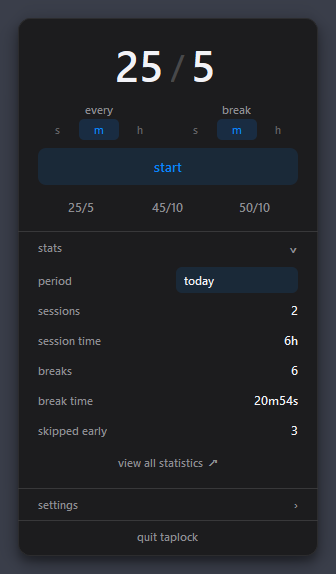
Click the tray icon to open it. The icon fills in and turns green while a session runs, and its tooltip carries the countdown.
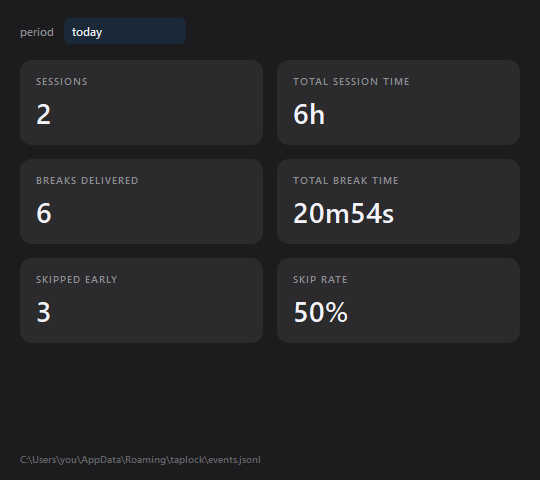
The full statistics window
Install
Download TapLock and run it. There is nothing to extract and nothing to install.
The executable is unsigned, so SmartScreen may stop it the first time — choose More info → Run anyway.
The app has no main window: it lives in the notification area. Click the tray icon to open the panel, enter an interval and a break length, and press start. Turn on launch at login from settings if you want it back after a reboot.
During a break, Skip or Esc dismisses the overlay and restarts the interval. The mini theme has no Esc — it never takes focus, so it cannot steal your caret mid-sentence; use its close button instead.
From source
Requires Python 3.14. Runtime dependencies are PySide6 and Pillow.
git clone https://github.com/ugurcandede/taplock-windows.git
cd taplock-windows
python -m venv .venv
.venv\Scripts\activate
pip install -r requirements.txt
python main.py
Shared with the Mac app
Both builds read and write the same two files, with the same schema:
%APPDATA%\taplock\relax-config.json    settings
%APPDATA%\taplock\events.jsonl         append-only event log
On macOS they live in ~/Library/Application Support/taplock/. Copy either one across and it is understood on the other side — including the lock_completed records this build has no use for, which are preserved rather than dropped.
Differences from macOS
Where the port does not match the original, it is on purpose:
| Area | How the port differs |
|---|---|
| Tray icon | Windows cannot show text next to a tray icon, so the countdown lives in the tooltip |
| mini theme | Never takes focus, so it has no Esc |
| breathing theme | Covers every display; the glass themes open only where the cursor is |
| Sounds | Two per cycle, not three — the chime ten seconds before a break is gone |
| Settings | Saved on every change, not only when a session starts |
| Week boundary | Monday (ISO 8601); macOS follows the system calendar |
Requirements
Windows 10 version 1809 (build 17763) or later, 64-bit. The floor comes from Qt and CPython, not from the app; it checks at startup and says so plainly rather than failing deeper in.
No administrator rights, at install or at run.
Leaf and figure icons from Icons8.